Explore Pydantic’s new agent framework – simplifying AI development! Learn how to install, use models, and even play a dice game example.
Building AI Agents Made Easy with Pydantic
Pydantic, a popular Python library for data validation, has recently unveiled its agent framework, and it’s making building AI agents simpler than ever before! This new tool aims to lower the barrier to entry for developers wanting to create intelligent applications.
Getting Started – It’s Easier Than You Think
Setting up Pydantic’s agent framework is remarkably straightforward. Just a single line and you have the framework ready to be used.
The code development is relatively easy, just a few lines of code and you are ready to test your agent in your console.
Different models are available, you can see the full list here.
What Can You Do With It?
The framework lets you choose from a range of AI models, allowing you to build all sorts of clever applications. You’ll find a complete overview of the options here. It’s even possible to use locally stored models, there are handy examples for Ollama available at this link.
A Fun Example: The Dice Game!
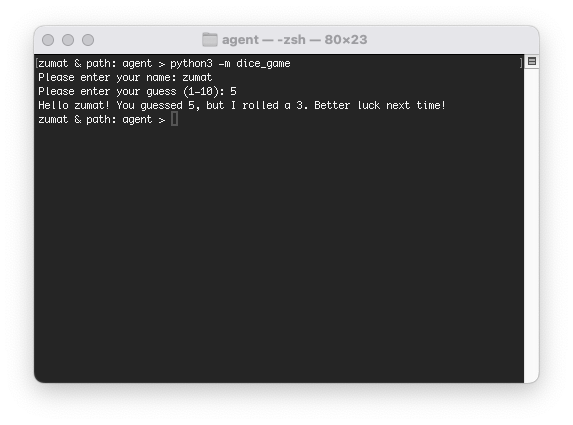
To illustrate how easy it is to get started, I’ve taken Pydantic’s example and added a fun twist – a dice game where you can guess a number! You can find the code on my GitHub page. To play, you can follow the guidelines on the instructions shared on the github page.
What’s Next?
This is just the beginning! I’m planning on expanding this project further, with a goal of creating a web-based chat interface that will allow for more complex and interactive AI agents. Stay tuned for updates!
How to cite this page:
Subet, Matteo (2025). Agent. Retrieved on 18 December 2025 from zumat.ch/projects/agent.html